Best Google Maps Scrapers & Extractors: Ranked & Reviewed
2025-12-24, 08:00:00
Finding reliable business leads from Google Maps has become one of the highest-ROI strategies for B2B sales, local marketing, and agency prospecting.
But with dozens of tools on the market—cloud platforms, desktop apps, Chrome extensions—which Google Maps scraper is actually worth using?
This guide compares the best Google Maps scrapers and extractors, including free and paid options, based on real-world usability, scalability, and cost per lead. For a comprehensive overview of Google Maps scraping strategies and legal compliance, see our ultimate guide to Google Maps lead generation.
Evaluation Criteria: How We Ranked These Tools
To keep this review practical and fair, we evaluated each tool using the same criteria:
- Speed & Scalability – Can it handle thousands of listings efficiently?
- Anti-Ban Capability – Does it use proxy pools and cloud IPs?
- Ease of Use – Cloud-based vs local setup vs browser plugin
- Data Depth – Emails, phones, websites, categories, ratings
- Pricing Model – Subscription, pay-as-you-go, or credit-based
- Best-Fit Use Case – SMBs, enterprises, developers, one-time use
Best Google Maps Scraper Rankings
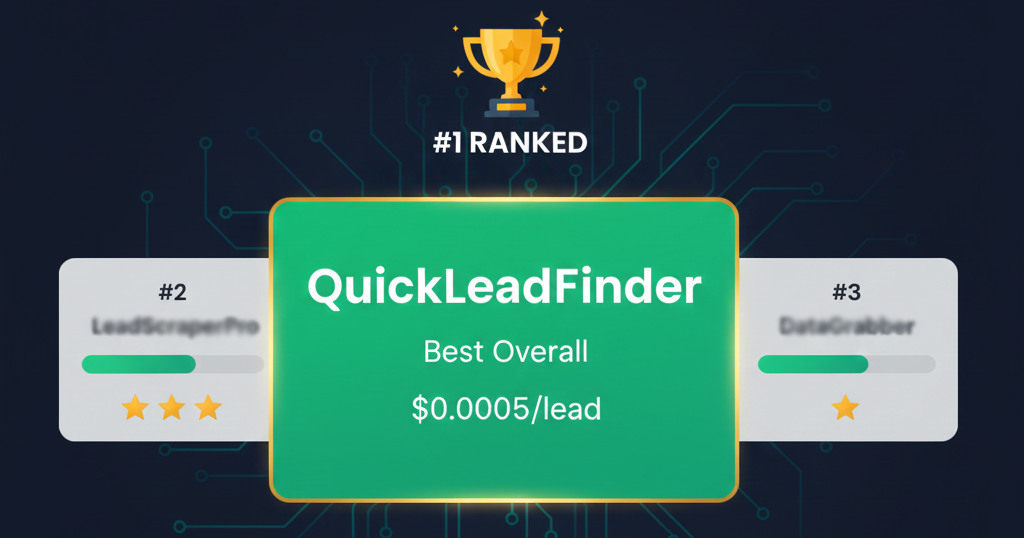
#1 QuickLeadFinder — Best Overall Google Maps Scraper
Best for: SMB lead generation, agencies, scalable prospecting
Pricing: Free tier available; Pro $29/mo (60,000 leads); Business $129/mo (600,000 leads)
Type: Cloud-based
QuickLeadFinder ranks #1 for one simple reason: it delivers the lowest cost per lead with the least operational friction.
Unlike browser-based tools, QuickLeadFinder runs entirely in the cloud with built-in proxy rotation, allowing users to scrape Google Maps at scale without worrying about IP bans or local machine limits.
Key strengths: - Extremely low cost per lead (as low as $0.0005) - Free tier with 10 searches (~1,200 leads/month) - No local setup or technical configuration - Designed for high-volume SMB discovery - Exports clean, structured data (CSV/XLSX/JSON) - GDPR compliant
Limitations: - Not designed for Fortune 500 executive org charts
👉 Best choice for teams that care about ROI, speed, and simplicity.
#2 G Maps Extractor — Best Chrome Extension for Google Maps Scraping
Best for: Quick lead extraction directly in your browser
Pricing: Free tier (1,000 leads/month); Pro $39/mo (100,000 leads); Business $99/mo (500,000 leads)
Type: Browser extension (Chrome & Edge)
G Maps Extractor is a top-rated Chrome extension for extracting business data from Google Maps, trusted by 12,500+ customers who have extracted over 85 million places.
Key strengths: - Free tier with 1,000 leads/month - Extracts emails, phone numbers, and social media profiles - Supports reviews, photos, and opening hours extraction - Exports data to CSV/JSON/Excel - Bulk extracting with keyword automation - Works on both Chrome and Edge browsers - 4.98/5 star rating from customers
👉 Best choice for users who want browser-based extraction with email and social media data.
#3 Scrap.io — Powerful, but Premium-Priced
Best for: Teams needing advanced filters
Pricing: High-tier subscriptions
Type: Cloud-based
Scrap.io offers strong scraping capabilities and advanced controls, but its pricing scales quickly as volume increases. For large datasets, cost per lead can rise significantly compared to alternatives. (Read our detailed Scrap.io vs QuickLeadFinder comparison.)
Pros: - Robust infrastructure - Good filtering options
Cons: - Expensive at scale - Less friendly for budget-conscious teams
#4 Octoparse — Flexible but Technical
Best for: Technical users and data engineers
Pricing: Subscription-based
Type: Desktop application
Octoparse is a general-purpose scraper that can extract Google Maps data—but only after careful configuration. It's powerful, but comes with a learning curve and ongoing maintenance. (See our Octoparse vs QuickLeadFinder deep dive.)
Pros: - Highly customizable - Works across many websites
Cons: - Complex setup - Local machine dependent - Higher operational overhead
#5 D7 Lead Finder — Established but Slower
Best for: Small teams doing moderate volume
Pricing: Subscription
Type: Cloud-based
D7 Lead Finder is a long-standing player in the Maps scraping space. While reliable, its scraping speed and interface feel dated compared to newer tools. (Read our D7 Lead Finder vs QuickLeadFinder analysis.)
Pros: - Stable platform - Simple workflow
Cons: - Slower extraction - Less flexible exports
#6 Outscraper — Pay-As-You-Go Convenience
Best for: One-off projects
Pricing: Pay per result
Type: Cloud-based API/tool
Outscraper is attractive for users who don’t want subscriptions. However, pay-per-record pricing makes it inefficient for ongoing lead generation.
Pros: - No monthly commitment - Easy to start
Cons: - Cost adds up quickly - Not ideal for continuous use
#7 Apify — Developer-Focused Platform
Best for: Developers and automation teams
Pricing: Usage-based
Type: Cloud platform
Apify offers extreme flexibility and scripting power. However, it’s not designed for non-technical users and often requires custom setup.
Pros: - Highly customizable - API-first design
Cons: - Steep learning curve - Overkill for most sales teams
Why Cloud-Based Scraping Beats Browser Extensions
This is where many users get burned.
Browser plugins scrape directly from your own IP address.
Once Google flags unusual behavior, your IP—and sometimes your Google account—can be temporarily or permanently blocked.
Cloud-based scrapers, by contrast: - Rotate IPs automatically - Use distributed proxy pools - Isolate risk away from your browser - Scale safely to tens of thousands of listings
For any serious lead generation workflow, cloud scraping isn’t a luxury—it’s a requirement.
Which Google Maps Scraper Should You Choose?
- For scalable SMB lead generation: QuickLeadFinder
- For browser-based extraction with email scraping: G Maps Extractor
- For enterprise-grade filtering: Scrap.io
- For technical customization: Octoparse or Apify
- For one-time scraping jobs: Outscraper
If your goal is predictable ROI and low cost per lead, cloud-based tools consistently outperform browser-based solutions.
Final Verdict
The best Google Maps scraper isn't the most complex or the most expensive—it's the one that matches your volume, budget, and risk tolerance.
For most B2B teams targeting small and medium-sized businesses, QuickLeadFinder offers the best balance of speed, safety, and cost efficiency on the market today.
👉 Start your free trial with QuickLeadFinder and see why it's ranked #1.
Related Resources
Want to dive deeper into specific tools or strategies? Check out these guides:
- The Ultimate Google Maps Scraping Guide — Complete guide covering legal compliance, tutorials, and advanced strategies
- D7 Lead Finder vs. QuickLeadFinder — Detailed comparison of features and pricing
- Scrap.io vs. QuickLeadFinder — The ultimate showdown for lead generation
- PhantomBuster vs. QuickLeadFinder — Why per-lead pricing beats time-based billing
- Octoparse vs. QuickLeadFinder — Cloud simplicity vs. desktop complexity
Explore more strategies in the QuickLeadFinder Blog.
