Google Maps Scraping for Lead Generation: The Ultimate Guide
2025-12-24, 08:00:00
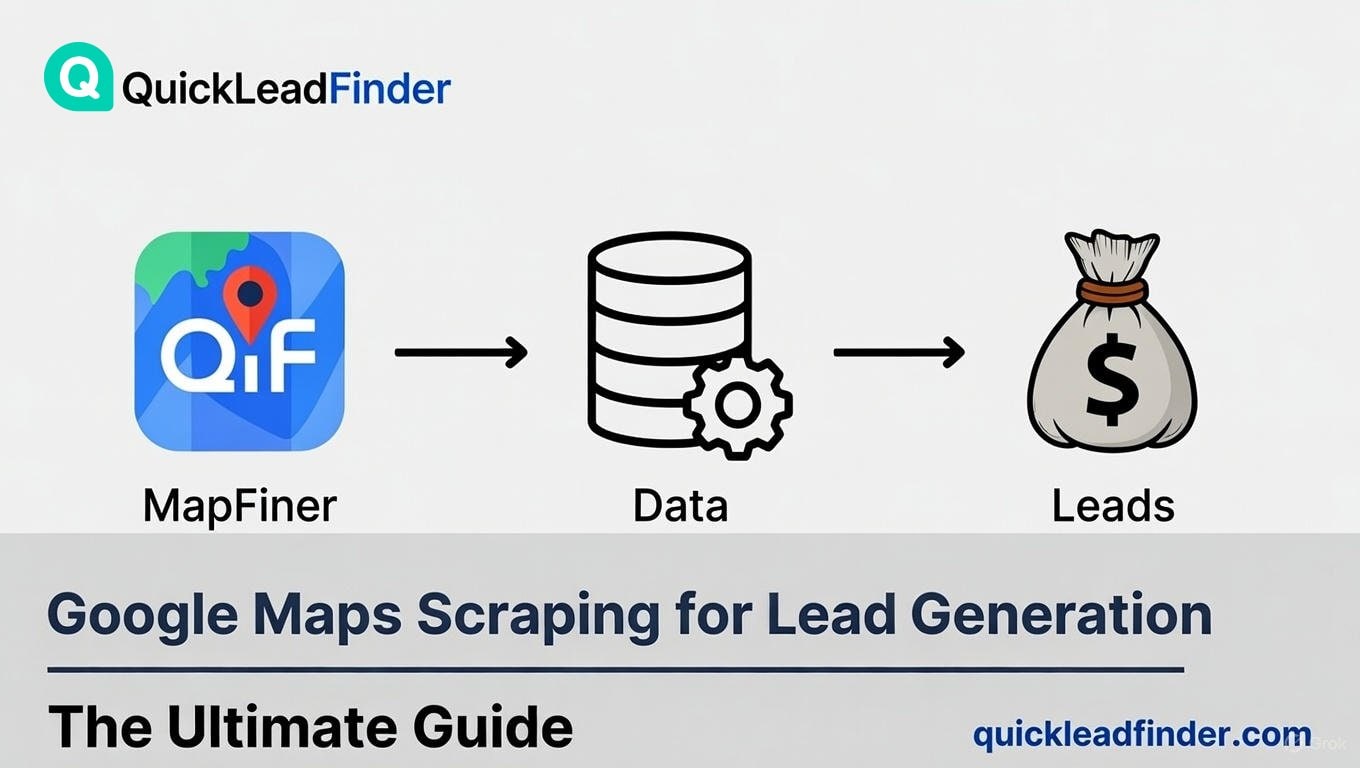
Introduction: The New Gold Standard for B2B Lead Generation
In the hyper-competitive landscape of B2B sales and marketing, the difference between success and stagnation often boils down to one critical factor: data freshness. Traditional lead generation methods—relying on purchased, static databases like D7, or outdated industry lists—are failing at an alarming rate. These lists are plagued by high bounce rates, disconnected phone numbers, and businesses that have either moved, closed, or changed ownership. In a world where business information changes by the minute, static data is a liability.
The solution lies in harnessing the power of the world’s most dynamic and frequently updated business directory: Google Maps.
This guide will provide the strategic roadmap to legally and efficiently extract this data, turning the world's largest local search engine into your most potent B2B lead generation tool. This comprehensive guide is designed to be your definitive resource for mastering Google Maps scraping. We will demystify the process, navigate the crucial legal boundaries of GDPR and CCPA, and provide a practical, step-by-step tutorial on how to transform this massive data source into a high-converting B2B lead generation engine. By the end of this article, you will understand not only how to scrape Google Maps data, but why it is the most powerful, legal, and efficient strategy for securing fresh leads today.
Why Google Maps is the World's Largest Real-Time B2B Database
To understand the power of Google Maps for lead generation, you must first recognize it for what it truly is: a living, breathing, and self-updating database of global commerce.
The Core Insight: Freshness is the Key to Conversion
The fundamental flaw of traditional B2B databases is their reliance on a periodic, often quarterly or annual, update cycle. A business that was a perfect prospect three months ago might be a dead end today. This lag creates a critical gap between the data you purchase and the reality on the ground. Industry studies consistently show that B2B data decay rates hover between 20% and 30% annually [5]. This means that for every 1,000 leads you purchase from a static list, up to 300 are already obsolete, resulting in wasted time, money, and damaged sender reputation.
Google Maps operates on a fundamentally different principle. Its data is not updated by a centralized, slow-moving data team; it is updated in real-time by the businesses themselves, by Google’s own sophisticated algorithms, and by millions of users submitting corrections and reviews every day.
| Feature | Google Maps Data | Static B2B Databases (e.g., D7) |
|---|---|---|
| Data Volume | 200 Million+ Businesses | Typically smaller, proprietary lists |
| Update Frequency | Real-Time & Continuous | Periodic (Quarterly, Annually) |
| Data Source | Businesses, Users, Google Algorithms | Purchased Packages, Manual Verification |
| Freshness | High (Reflects current status) | Low (Prone to decay and inaccuracy) |
| Coverage | Global (195+ Countries) | Often limited to major markets |
This constant, decentralized updating mechanism ensures that the information you extract—the business name, address, phone number, website, and operating hours—is as accurate as possible at the moment of extraction. This "freshness" is not a luxury; it is the single most important factor in maximizing your sales conversion rates.
The Mechanics of Real-Time Data: Google Business Profile
The engine driving this data freshness is the Google Business Profile (GBP), formerly known as Google My Business. Every business listed on Google Maps has a GBP, which they actively manage. When a business changes its phone number, updates its operating hours, or moves to a new location, they update their GBP. This change is instantly reflected on Google Maps.
This self-service model is what makes Google Maps data superior to static lists. You are not waiting for a third-party data aggregator to verify a change; you are accessing the information directly from the source, as provided by the business itself.
Beyond the Basics: Rich Data Points for Deeper Qualification
Google Maps provides far more than just contact information. A robust scraper like QuickLeadFinder can extract a wealth of rich data points that are invaluable for lead qualification:
- Review Count and Average Rating: A direct measure of customer satisfaction and business activity.
- Website URL: Essential for determining if a business needs web development or SEO services.
- Claimed Status: Whether the business has claimed and verified its GBP (a signal of digital savviness).
- Photos and Q&A: Contextual data that can inform your outreach message.
- Popular Times: Insights into the business's peak operating hours.
These rich data points allow for a level of lead segmentation and personalization that is simply impossible with basic, static B2B lists.
Unparalleled Global and Local Coverage
Google Maps’ reach is unmatched. Industry data indicates that Google Maps covers over 195 countries and territories, offering a granular view of local businesses that no other single database can rival. This vast coverage is crucial for two primary reasons:
- Global Expansion: It allows businesses to seamlessly pivot their lead generation efforts to new international markets without purchasing expensive, localized data packages.
- Hyper-Local Targeting: For B2B services that thrive on local relationships (e.g., local SEO agencies, commercial cleaning services, regional suppliers), Google Maps allows for geo-fencing down to the street or neighborhood level, enabling highly personalized and effective local marketing campaigns.
The Legal Boundaries of Google Maps Data Scraping: Everything You Need to Know
The legality of web scraping is the most common concern for businesses looking to utilize Google Maps data. The short answer is: Yes, scraping publicly available business data is legal, but you must operate within strict ethical and legal boundaries.
The key distinction lies between Public Business Information and Private Personal Data.
Terms of Service vs. The Law: A Critical Distinction
It is important to address the elephant in the room: Google's Terms of Service (ToS) explicitly prohibit the automated scraping of their platform. However, the ToS is a contractual agreement, not a law. In the United States, the legal case hiQ Labs, Inc. v. LinkedIn Corp. [3] has been influential in shaping the legal landscape around web scraping:
Courts have generally held that scraping publicly available data does not violate the Computer Fraud and Abuse Act (CFAA), though the legal landscape continues to evolve.
While this case primarily applies to the US and is still subject to ongoing legal developments, it underscores an important trend: data that is publicly visible to any user on the internet is generally considered permissible for collection, provided it is not protected by copyright or trade secret laws, and proper ethical guidelines are followed.
The QuickLeadFinder Position: While we respect Google's ToS, our focus is on providing a legally compliant tool that adheres to global privacy laws (GDPR/CCPA) by only extracting data that businesses have made public for commercial purposes. The risk of legal action from Google is low when the data is public and the scraping is done via a sophisticated, distributed network (like QuickLeadFinder's cloud proxy pool) that mimics human behavior.
1. Public Business Information (Legal to Scrape)
Public Business Information refers to data that a business has willingly made public for the purpose of commerce and contact. This includes:
- Business Name
- Business Address
- Business Phone Number (General business line)
- Business Website URL
- Publicly Posted Reviews and Ratings
- Operating Hours
- Business Category
This data is intended for public consumption and is generally considered outside the scope of strict privacy regulations like GDPR and CCPA, provided it is used for legitimate business-to-business (B2B) communication.
2. Private Personal Data (Illegal to Scrape)
Private Personal Data, on the other hand, is information that identifies a specific individual and is protected by law. This includes:
- Personal Email Addresses (e.g.,
[email protected]) - Personal Mobile Phone Numbers
- Home Addresses
- Any data linked to an individual's private life
Crucially, QuickLeadFinder is designed to exclusively extract Public Business Information. Our technology is engineered to filter out and avoid the collection of private personal data, ensuring that our users remain compliant with global privacy laws.
Navigating GDPR and CCPA Compliance
The two most significant regulatory frameworks governing data privacy are the General Data Protection Regulation (GDPR) in Europe and the California Consumer Privacy Act (CCPA) in the United States.
GDPR (General Data Protection Regulation)
GDPR primarily protects the data of natural persons (individuals). For B2B lead generation, the risk arises when a business listing includes a personal email address or a phone number that is clearly a personal line.
QuickLeadFinder’s Compliance Commitment: By focusing solely on publicly listed business contact information, we adhere to the principle of Legitimate Interest (Article 6(1)(f) of GDPR). This means that using public business data for B2B outreach is permissible, provided the outreach is relevant to the recipient's professional role and the data subject's rights are respected (e.g., providing an easy opt-out). Our platform helps users maintain compliance by providing clean, business-focused data.
CCPA/CPRA (California Consumer Privacy Act / California Privacy Rights Act)
The California Consumer Privacy Act (CCPA), as amended by the California Privacy Rights Act (CPRA), provides California consumers with comprehensive rights regarding their personal information. Important Note: The previous B2B exemption under CCPA expired on January 1, 2023. This means B2B data is now subject to the same protections as consumer data under California law.
What This Means for B2B Lead Generation: When targeting California-based businesses, you must be aware that employee contact information (names, work emails) is now protected. However, publicly available business contact information—such as the general business phone number, business address, and website URL listed on Google Maps—remains permissible to collect and use. QuickLeadFinder focuses specifically on this public business data, minimizing CCPA/CPRA exposure. Users should still ensure their outreach campaigns are compliant with all applicable regulations and provide clear opt-out mechanisms.
The bottom line is clear: QuickLeadFinder provides the tool, but the user is responsible for their outreach strategy. We ensure the data is legally sourced (public business info), and we encourage users to maintain best practices for outreach (clear opt-outs, professional communication).
Practical GDPR Compliance for B2B Outreach
To ensure your B2B outreach remains compliant with GDPR, always adhere to these three principles:
- Purpose Limitation: Ensure your outreach is directly relevant to the recipient's professional role and the business you are contacting. For example, emailing a restaurant owner about a new POS system is relevant; emailing them about a personal loan is not.
- Necessity and Proportionality: Only collect and use the minimum amount of data necessary for your purpose. QuickLeadFinder's focus on public business data adheres to this.
- Right to Object (Opt-Out): Every single communication must include a clear, easy-to-use mechanism for the recipient to object to further processing (i.e., an unsubscribe link or a clear instruction to reply "STOP"). This is non-negotiable.
By using QuickLeadFinder, you start with a clean, legally-sourced list of public business data, giving you the best possible foundation for a compliant B2B campaign.
Manual Copying vs. Python Scripts vs. Cloud Tools: A Head-to-Head Efficiency Comparison
Once you decide to leverage Google Maps data, the next question is how to extract it. There are three primary methods, each with vastly different implications for time, technical skill, and risk.
Method 1: Manual Copying (The Time Sink)
This involves a person manually searching Google Maps, copying the business name, phone number, and website into a spreadsheet.
- Pros: Zero cost, zero technical skill required.
- Cons: Extremely slow, prone to human error, and completely unscalable. A single lead list of 1,000 businesses could take days or even weeks.
Method 2: Custom Python Scripts (The Technical Trap)
For those with coding skills, writing a custom Python script using libraries like Selenium or BeautifulSoup seems like a logical step.
The Technical Trap: Why Custom Scripts Fail at Scale
While a simple script can scrape a handful of listings, scaling this operation to thousands of leads reveals a host of technical challenges that quickly make the custom script approach prohibitively expensive and time-consuming:
- IP Blockade and Rate Limiting: As discussed, Google's anti-bot measures are highly effective. They detect repetitive requests from a single IP and block it. Bypassing this requires a massive, constantly managed pool of rotating residential or datacenter proxies—a significant and ongoing expense.
- CAPTCHA and ReCAPTCHA: Google frequently deploys CAPTCHAs to verify human interaction. Bypassing these requires either expensive third-party CAPTCHA-solving services or complex machine learning models, adding cost and complexity.
- Dynamic Rendering and Headless Browsers: Google Maps is a highly dynamic, JavaScript-heavy application. Simple HTTP requests are insufficient. You need to use headless browsers (like Puppeteer or Selenium), which are resource-intensive and slow, further increasing the time and cost of scraping.
- Maintenance Nightmare: Google constantly updates its website structure (HTML/CSS). A custom script that works today will almost certainly break next week, requiring constant developer intervention and maintenance. This hidden cost quickly dwarfs the price of a dedicated tool.
The Hidden Costs of DIY Scraping
The "free" custom script approach has significant hidden costs:
| Hidden Cost Category | Estimated Annual Cost (for 100k Leads/Year) |
|---|---|
| Developer Time | $5,000 - $15,000 (Setup, Maintenance, Debugging) |
| Proxy Pool Subscription | $500 - $2,000 (For reliable, rotating IPs) |
| CAPTCHA Solving Service | $300 - $1,000 (If needed) |
| Hardware/Cloud Hosting | $100 - $500 (For running resource-intensive scripts) |
| Total Hidden Cost | $5,900 - $18,500+ |
When you factor in these hidden costs, the perceived savings of a custom script vanish. A dedicated cloud tool like QuickLeadFinder absorbs all these technical complexities and costs, delivering a simple, flat-rate service.
Method 3: Dedicated Cloud Scraping Tools (The Professional Solution)
Tools like QuickLeadFinder are built specifically to solve the challenges of Google Maps scraping at scale.
- Pros: Zero IP Ban Risk (due to cloud proxy pools), extremely fast, no technical skill required, and highly scalable. Provides clean, structured data ready for immediate use.
- Cons: Requires a subscription (though QuickLeadFinder offers a free tier).
Here is a detailed comparison of the three methods. (For a complete ranking of all available tools, see our Best Google Maps Scrapers guide.)
| Feature | Manual Copying | Custom Python Script | QuickLeadFinder (Cloud Tool) |
|---|---|---|---|
| Time Cost (1,000 Leads) | 20+ Hours | 5-10 Hours (Setup + Run) | < 5 Minutes |
| Technical Barrier | None | High (Coding, Proxies, Maintenance) | None (Click-and-Go) |
| IP Ban Risk | Low (But too slow to matter) | Extremely High | Zero (Uses Rotating Cloud Proxies) |
| Data Quality | Medium (Human Error) | High (If script is perfect) | High (Automated Cleaning) |
| Scalability | None | Limited (By IP/Proxy Budget) | Unlimited |
| Maintenance | None | High (Constant updates needed) | None (Managed by Provider) |
Pain Point: The IP Ban Nightmare
The single biggest obstacle for local scripts is the IP ban. Google's systems are designed to detect automated, repetitive requests from a single source. Once your IP is flagged, you are locked out, and your entire lead generation effort grinds to a halt.
QuickLeadFinder's Zero-Risk Advantage: Our platform eliminates this risk entirely by operating on a massive, rotating pool of cloud-based proxy servers. This means every request is routed through a different, clean IP address, making it virtually impossible for Google to detect and block the scraping process. You get the data you need, at lightning speed, with zero risk to your local network or business operations.
Practical Tutorial: How to Build Your First High-Converting Lead List in 3 Steps
The true power of Google Maps scraping is realized when you move beyond simple data extraction and into strategic lead list building. QuickLeadFinder simplifies this process into three intuitive steps.
Step 1: The Strategic Keyword Search
The most common mistake is using overly broad keywords. Searching for "restaurants" yields millions of results, most of which are irrelevant to your specific B2B service. The goal is to use keywords that reflect the intent and need of your ideal customer.
Broad vs. Strategic Keywords:
| Broad Keyword (Low Intent) | Strategic Keyword (High Intent) | Target Service |
|---|---|---|
| "Lawyers" | "Personal Injury Lawyers" | Legal Software Sales |
| "Gyms" | "CrossFit Gyms" | Specialized Fitness Equipment |
| "Plumbers" | "Emergency Plumbers 24/7" | Commercial Fleet Management |
| "Hotels" | "Boutique Hotels" | High-End Interior Design Services |
Advanced Keyword Strategy: Use modifiers to narrow your focus. For example, instead of just "Coffee Shops," try "Coffee Shops with Outdoor Seating" or "Coffee Shops near University." This level of detail ensures your leads are pre-qualified for a specific pain point you can solve.
The Power of Negative Keywords
Just as important as what you search for is what you exclude. If you are selling a service to independent businesses, you should exclude chains or franchises.
- Example: If you search for "Coffee Shops," you will get Starbucks, Dunkin', and local cafes.
- Negative Keyword Strategy: Filter out "Starbucks," "Dunkin'," and other major chains. This instantly refines your list to independent, high-value prospects who are more likely to make purchasing decisions locally.
QuickLeadFinder's advanced filtering allows you to apply these negative keyword strategies before you even extract the data, saving you credits and time.
Step 2: Precision Geo-Fencing
Once you have your strategic keyword, you need to define your geographical boundaries. QuickLeadFinder allows for unparalleled precision, moving beyond simple city or state limits.
- City/State/Country: The basic level, perfect for broad campaigns.
- Zip Code/Postal Code: Excellent for local services that operate within a tight radius.
- Street-Level Targeting: The most powerful feature. By defining a specific area on the map (a "geo-fence"), you can target businesses in a high-density commercial district or a specific industrial park. This is crucial for sales teams that operate on a route or need to physically visit prospects.
Radius Search vs. Polygon Search: Choosing Your Boundary
Most basic scrapers only offer a Radius Search (e.g., all businesses within a 5-mile circle of a central point). While useful, this often includes irrelevant areas like residential zones or parks.
QuickLeadFinder's Advantage: Polygon Search (Geo-Fencing). This allows you to draw a custom shape (a polygon) around the exact commercial district, industrial park, or high-street area you want to target. This level of precision ensures that every lead you generate is physically located in a high-value zone, maximizing the efficiency of your sales team's time.
Tip: For hyper-local campaigns, start with a small, high-value area. Scrape the data, run your campaign, and measure the results before expanding the geo-fence.
Step 3: Data Cleaning, Filtering, and Export
Raw data is useless; clean, structured data is gold. QuickLeadFinder automatically cleans and structures the extracted information, but the final step is filtering and exporting.
- Automated Cleaning: The platform removes duplicates, standardizes address formats, and ensures all fields are correctly categorized. This includes removing common junk data and ensuring phone numbers are in a consistent, dialable format.
- In-Platform Filtering: Before exporting, use the platform's advanced filters to remove businesses that don't meet your criteria (e.g., filter out businesses with no website if you are selling SEO services, or filter out those with a low review count if you are targeting established businesses).
- Data Enrichment (The Next Level): Google Maps often provides the business's main phone number and website, but rarely a direct contact email. QuickLeadFinder goes a step further by offering data enrichment services. Once the website is scraped, the platform can automatically search for and verify email addresses associated with that domain, providing a more complete lead profile. This is a crucial step for cold email campaigns. (Learn more about this process in our guide to finding business emails.)
- Export: Download your final, filtered list in your preferred format: CSV, Excel, or JSON. This seamless integration allows you to immediately upload the list into your CRM (Salesforce, HubSpot) or cold email platform. (For automated CRM workflows, see our CRM integration guide.)
Beyond Basic Data: Leveraging "Review Count" and "Website Presence" for Advanced Filtering
The true competitive edge in Google Maps scraping comes from using the contextual data points that Google provides to pre-qualify your leads. Two of the most powerful signals are the Review Count/Rating and the Website URL Presence.
The Core Principle: Signal-Based Prospecting
Instead of blindly contacting every business, you are using the data to identify a pain point or a growth signal. This is called Signal-Based Prospecting, and it dramatically increases your conversion rates because your pitch is immediately relevant.
Strategy 1: Finding the "Hidden Gems" (The Web Development Sales Play)
Target Profile: Businesses with a High Review Count/Rating but No Website URL listed on Google Maps.
The Insight: A business with a high rating (e.g., 4.5 stars with 100+ reviews) is clearly successful, popular, and provides a quality service. However, the absence of a website indicates a massive, untapped opportunity for a web development, digital marketing, or SEO agency.
- The Pitch: "Congratulations on your 4.8-star rating! Your customers clearly love you. Imagine how many more customers you could reach if you had a professional website to capture that demand. We specialize in building high-converting sites for businesses exactly like yours."
- Why it Works: You are not selling a website to a struggling business; you are selling a growth engine to an already successful one. This is a high-intent, low-competition lead. (For more agency prospecting strategies, see our local SEO agency guide.)
Strategy 2: The "Reputation Rescue" (The Reputation Management Sales Play)
Target Profile: Businesses with a Low or Mixed Review Rating (e.g., 3.5 stars or lower) and a High Review Count.
The Insight: A high volume of low reviews signals a severe problem with customer experience or online reputation management. These businesses are actively losing customers due to their online presence and are often desperate for a solution.
- The Pitch: "We noticed your business has a high volume of recent 1-star reviews. This is costing you thousands in lost revenue every month. Our reputation management service can immediately implement a strategy to mitigate the damage, generate positive reviews, and restore your brand's trust."
- Why it Works: You are addressing an immediate, painful, and quantifiable problem. The lead is already aware of the issue, making the sales cycle shorter.
Strategy 3: The "Scale-Up" (The SaaS/B2B Service Sales Play)
Target Profile: Businesses with a High Review Count and a Professional Website.
The Insight: These are established, successful businesses that are likely spending money on marketing and operations. They are the perfect target for B2B SaaS tools, high-end consulting, or large-scale service contracts.
- The Pitch: Focus on efficiency, optimization, and scaling. "Your business is clearly thriving. We help successful companies like yours streamline their [CRM/inventory/HR] operations to achieve 20% greater efficiency and prepare for multi-location expansion."
- Why it Works: You are targeting the top tier of the market, where the contract value is highest.
Strategy 4: The "New Business" Play (The Financial/Insurance Sales Play)
Target Profile: Businesses with a Low Review Count (e.g., < 10) and a Recent Listing Date (if available).
The Insight: These are newly established businesses. They have immediate, high-priority needs for foundational services like business insurance, commercial banking, accounting, and initial marketing setup.
- The Pitch: "Congratulations on your new business! As you're getting started, we know how critical it is to secure your assets. We specialize in providing comprehensive, affordable business insurance packages tailored for new [Industry] companies."
- Why it Works: You are catching the business at the moment of highest need, before they have established relationships with service providers.
By utilizing QuickLeadFinder's advanced filtering capabilities, you move from being a generic data buyer to a strategic market analyst, identifying leads based on their need and readiness to buy. This is the difference between a cold call and a highly targeted, personalized sales conversation. (Ready to put these strategies into action? See our cold email playbook for proven templates and sequences.)
Conclusion and Tool Recommendation: The Future of Lead Generation is Real-Time
The era of relying on stale, purchased lead lists is over. Today, the ultimate competitive advantage in B2B sales is the ability to access, filter, and act upon real-time, fresh business data.
Google Maps is not just a navigation tool; it is the world's most comprehensive, dynamic, and up-to-date B2B database. By understanding the legal framework and employing the right technology, you can legally and efficiently tap into this resource.
The choice is clear:
- Waste time with manual copying.
- Risk an IP ban with fragile, custom scripts.
- Achieve instant, scalable results with a dedicated cloud tool.
Action Call: Experience the QuickLeadFinder Difference
QuickLeadFinder is engineered to be the fastest, simplest, and most compliant Google Maps scraper on the market. We eliminate the technical headaches of proxy management and IP bans, delivering clean, pre-qualified leads directly to your inbox.
Stop paying for 10-times-slower, outdated data from platforms like D7.
👉 Start your free trial today and experience the speed and accuracy of QuickLeadFinder.
👉 Click here to get started free and build your first high-converting lead list in minutes.
Related Resources
Ready to take your lead generation to the next level? Explore these in-depth guides:
- Best Google Maps Scrapers Ranked — Compare the top tools for Google Maps data extraction
- Cold Email Playbook — Turn your leads into closed deals with proven templates
- CRM Automation Guide — Connect QuickLeadFinder to HubSpot, Salesforce, and more
- B2B Data Hygiene Guide — Clean your data and boost email deliverability
- How to Find Business Emails — Extract contact information that isn't on Google Maps
Browse all guides in the QuickLeadFinder Blog.
