How to Find Email Addresses for Local Businesses (When They Aren't on Google Maps)
2025-12-24, 08:00:00
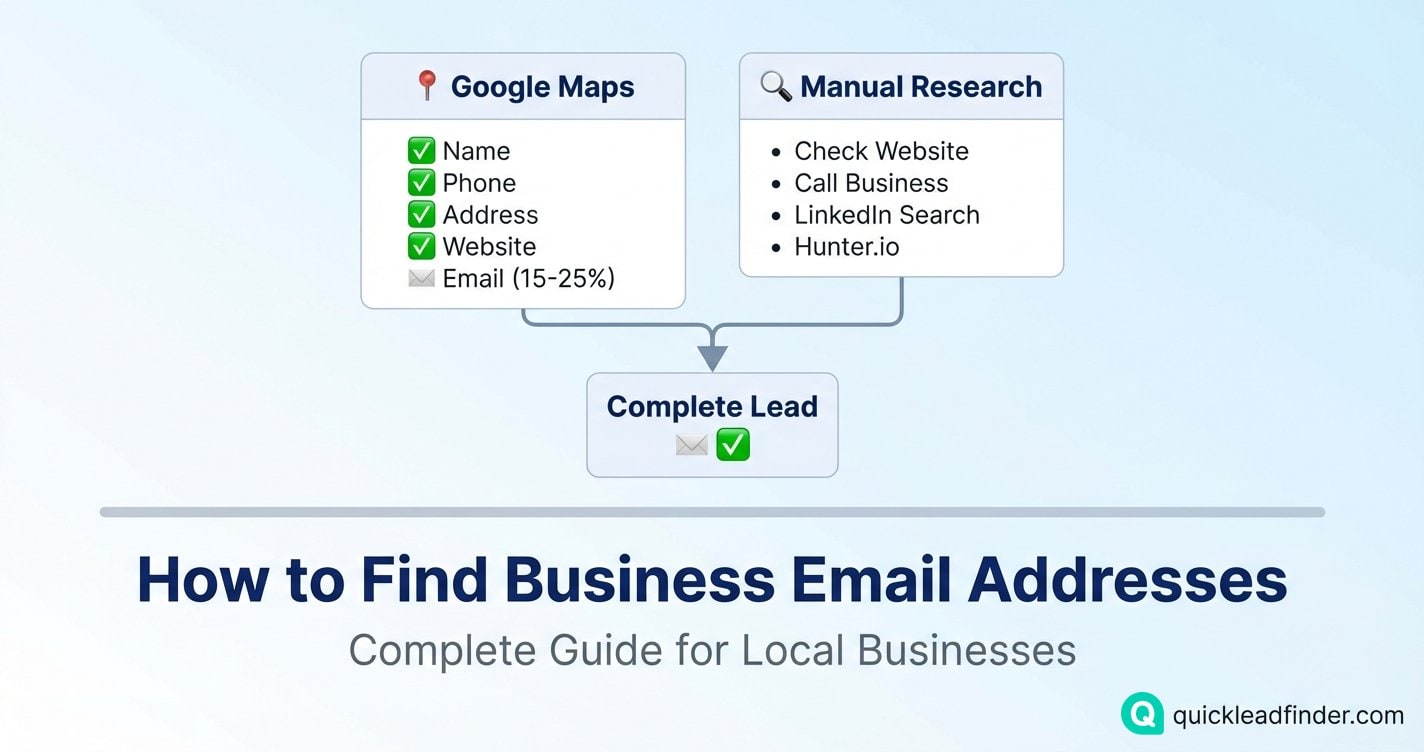
If you've ever scraped Google Maps for leads, you know the challenge: most listings don't include email addresses.
You get the business name, phone number, address, website, reviews—but the email field is often empty.
This guide explains why email availability is limited on Google Maps, what data you can actually extract, and practical techniques to find emails when they're not in the listing. (For a complete overview of Google Maps data extraction, see our ultimate guide.)
The Reality of Email Data on Google Maps
Let's set realistic expectations before diving in.
What Google Maps Actually Provides
Google Maps listings can include email addresses, but only when the business owner has added one to their Google Business Profile.
Typical email availability:
- 15-25% of listings include an email address
- Availability varies significantly by industry and region
- Service businesses tend to have higher email rates than retail
Why Most Listings Don't Have Emails
1. Spam Prevention Many business owners intentionally omit their email to avoid spam. They prefer phone calls or website contact forms.
2. Phone-First Design Google Maps is designed for consumers looking to call or visit businesses. The interface prioritizes:
- Click-to-call functionality
- Directions and navigation
- Reviews and photos
3. Business Owner Choice Google Business Profile lets owners choose what to display. Many small business owners:
- Don't think to add their email
- Prefer phone calls over emails
- Want to filter inquiries through their website
What QuickLeadFinder Extracts from Google Maps
QuickLeadFinder extracts all publicly available data from Google Maps listings, including:
| Data Field | Availability | Notes |
|---|---|---|
| Business Name | 100% | Always available |
| Address | 99%+ | Occasionally hidden for service-area businesses |
| Phone Number | 95%+ | Most businesses list a phone |
| Website URL | 60-70% | Many businesses have websites |
| Email Address | 15-25% | Only when owner has added it |
| Reviews & Ratings | 90%+ | If the business has any reviews |
| Business Hours | 80%+ | When owner has set them |
| Categories | 100% | Business type classification |
Important: QuickLeadFinder extracts the email address if and only if it's displayed on the Google Maps listing. We don't crawl external websites or social media—we give you exactly what Google Maps shows.
Why This Matters
Pros of Google Maps data:
- ✅ Data is accurate and up-to-date (maintained by business owners)
- ✅ Fast extraction—no waiting for website crawls
- ✅ Consistent data format across all listings
- ✅ Includes verified business information
The trade-off: - Email availability is limited to what owners have published
Maximizing Email Yield from Google Maps
Even with 15-25% average email availability, you can significantly improve your results with smart filtering.
Tip 1: Target Industries with Higher Email Rates
Some industries are more likely to list emails:
Higher email availability (25-40%):
- Professional services (lawyers, accountants, consultants)
- B2B service providers
- Marketing and creative agencies
- IT and tech services
Lower email availability (10-15%):
- Restaurants and food service
- Retail stores
- Personal services (salons, spas)
- Trades (plumbers, electricians)
Tip 2: Focus on Businesses with Websites
Businesses that have websites listed on Google Maps are more likely to also have emails. Use QuickLeadFinder's filters to target listings with websites.
Tip 3: Target Established Businesses
Businesses with more reviews tend to have more complete profiles:
- Filter for businesses with 20+ reviews
- These businesses are more likely to have filled out all profile fields
Tip 4: Export Everything, Filter Later
Even if only 20% of listings have emails:
- Extract 5,000 leads → ~1,000 with emails
- Extract 10,000 leads → ~2,000 with emails
The leads without emails still have phone numbers and websites for alternative outreach.
Finding Emails When Google Maps Doesn't Have Them
For the 75-85% of leads without emails, here are practical techniques to find contact information. (For complete outreach strategies, see our Cold Email Playbook.)
Method 1: Check the Business Website
QuickLeadFinder gives you the website URL for most listings. Visit these pages to find emails:
Where to look:
/contactor/contact-uspage- Footer (bottom of any page)
/aboutor/about-uspage/teamor/our-teampage
What to look for:
- Direct email links:
mailto:[email protected] - Plain text emails in contact sections
- Contact forms (less ideal, but usable)
Method 2: Phone-to-Email Bridge
Use the phone number (which Google Maps almost always provides):
- Call the business
- Ask: "I'd like to send some information to the owner—what's the best email?"
- Send your pitch to the personal email you just obtained
Success rate: 60-70% of receptionists will provide an email when asked politely.
Method 3: LinkedIn Research
Once you have the business name:
- Search LinkedIn for "[Business Name]"
- Find the owner/manager profile
- Use email permutation tools with their name + company domain
Tools for email finding:
- Hunter.io (free tier available)
- Snov.io
- Voila Norbert
- Apollo.io
Method 4: Social Media Profiles
Check the business's social media for contact info:
Facebook Business Page:
- "About" section often includes email
- "Page Transparency" shows contact info
Instagram Business Profile:
- Bio may contain email
- "Contact" button reveals email if set up
Working with Generic Emails (info@, contact@)
When you do get emails from Google Maps, many will be generic addresses. Here's how to make them work.
Strategy 1: The Forwarding Request
Ask the generic inbox to forward you to the right person:
Subject: Quick question—who handles [topic] at [Company]?

Hi there,

I'm trying to reach whoever handles [marketing/operations/purchasing]
at [Company Name].

Could you point me to the right person?

Thanks,
[Your Name]
Why it works: It's low-effort for the recipient to forward, and you get a warm introduction.
Strategy 2: The Direct Ask
Be transparent about wanting a personal contact:
Subject: Looking for the owner of [Company Name]

Hi,

I came across [Company Name] on Google and wanted to reach out
to the owner directly about [specific topic].

Is there a better email to reach them at, or should I call the
main line?

Thanks,
[Your Name]
Generic Emails vs. Personal Emails
Understanding email types helps you set realistic expectations.
Generic/Role-Based Emails (Most Common)
| Email Type | Example | Pros | Cons |
|---|---|---|---|
| Info | [email protected] | Always monitored | Often ignored |
| Contact | [email protected] | Designed for inquiries | May go to shared inbox |
| Sales | [email protected] | Right department | Competitive inbox |
| Support | [email protected] | Active monitoring | Wrong context |
Personal Emails (Higher Value)
| Pattern | Example | Likelihood of Response |
|---|---|---|
| firstname@ | [email protected] | High |
| firstname.lastname@ | [email protected] | High |
| firstinitial.lastname@ | [email protected] | Medium |
From Google Maps data, expect:
- Mostly generic emails (info@, contact@)
- Some personal emails from small business owners
- Quality varies by industry
Tool Comparison for Lead Generation
How does QuickLeadFinder compare to alternatives?
| Tool | Google Maps Data | Email Source | Best For |
|---|---|---|---|
| QuickLeadFinder | ✅ Full extraction | Google Maps listing | Speed & simplicity |
| D7 Lead Finder | ✅ Full extraction | Google Maps listing | Similar functionality |
| Scrap.io | ✅ Full extraction | Google Maps + website crawl | Higher email rates |
| Manual + Hunter.io | ❌ Manual process | Domain search | Enriching existing lists |
QuickLeadFinder's Approach
We focus on speed and accuracy by extracting exactly what Google Maps provides:
Advantages:
- Fast extraction—no waiting for website crawls
- Accurate data maintained by business owners
- Consistent, clean data format
- Lower cost per lead
Trade-off:
- Email availability limited to Google Maps data (~15-25%)
Workflow for maximum coverage:
- Extract leads with QuickLeadFinder
- Use leads with emails immediately
- Enrich remaining leads with Hunter.io or manual research
Legal and Ethical Considerations
What's Legal
- ✅ Extracting publicly available business contact information
- ✅ Using business emails for B2B outreach
- ✅ Collecting data from public Google Maps listings
What's Required
📋 CAN-SPAM Compliance (US):
- Include physical address in emails
- Provide clear unsubscribe option
- Honor opt-out requests within 10 days
📋 GDPR Considerations (EU):
- Business contact data generally falls under "legitimate interest"
- Focus on company emails, not personal addresses
- Provide clear opt-out mechanism
What to Avoid
- ❌ Sending to personal email addresses (gmail.com, yahoo.com) without consent
- ❌ Ignoring unsubscribe requests
- ❌ Misrepresenting your identity or purpose
Frequently Asked Questions
Why do some businesses have no email on Google Maps?
Many business owners choose not to add their email to avoid spam. This is especially common in:
- Trades (plumbers, electricians) — prefer phone calls
- Restaurants — prefer phone reservations
- Medical practices — HIPAA concerns
For these businesses, use phone outreach or find emails through their website.
How accurate are emails from Google Maps?
Emails from Google Maps are generally accurate because:
- They're added by the business owner
- Google verifies business profiles
- Owners update their own information
However, always verify before large campaigns using services like ZeroBounce or NeverBounce.
Should I verify emails before sending?
Yes, always. Running your list through a verification service protects your sender reputation.
Cost: ~$0.008 per email = $8 for 1,000 leads. Worth it.
What email rate should I expect from Google Maps?
Realistic expectations:
- 15-25%: Average across all industries
- 25-40%: Professional services, B2B companies
- 10-15%: Retail, restaurants, trades
To get more emails, combine Google Maps data with manual research techniques described above.
Summary: The Practical Approach
Google Maps Extraction (QuickLeadFinder)
                │
                ▼
┌─────────────────────────────────┐
│ Leads WITH Email (~15-25%)     │
│ → Ready for outreach           │
└─────────────────────────────────┘
                │
                ▼
┌─────────────────────────────────┐
│ Leads WITHOUT Email (~75-85%)  │
│ → Use phone number             │
│ → Check website manually       │
│ → Research on LinkedIn         │
│ → Use Hunter.io to enrich      │
└─────────────────────────────────┘
Start Building Your Lead List Today
QuickLeadFinder gives you fast, accurate Google Maps data extraction:
- ✅ Business name, address, phone
- ✅ Website URL
- ✅ Email address (when available on Google Maps)
- ✅ Reviews, ratings, business hours
- ✅ Business categories
The practical workflow:
- Extract leads with QuickLeadFinder
- Reach out immediately to leads with emails
- Use phone/website for leads without emails
- Enrich high-value leads with additional research
👉 Start your free trial with QuickLeadFinder and build your local business lead list today.
Related Resources
Maximize your lead generation success with these guides:
- The Ultimate Google Maps Scraping Guide — Complete guide to Maps data extraction
- Cold Email Playbook — Turn your leads into closed deals with proven templates
- B2B Data Hygiene Guide — Clean your lead list and boost deliverability
- CRM Automation Guide — Automate your lead pipeline
Explore all guides in the QuickLeadFinder Blog.
