Cold Email Playbook: From Google Maps Lead to Closed Deal in 7 Days
2025-12-24, 08:00:00
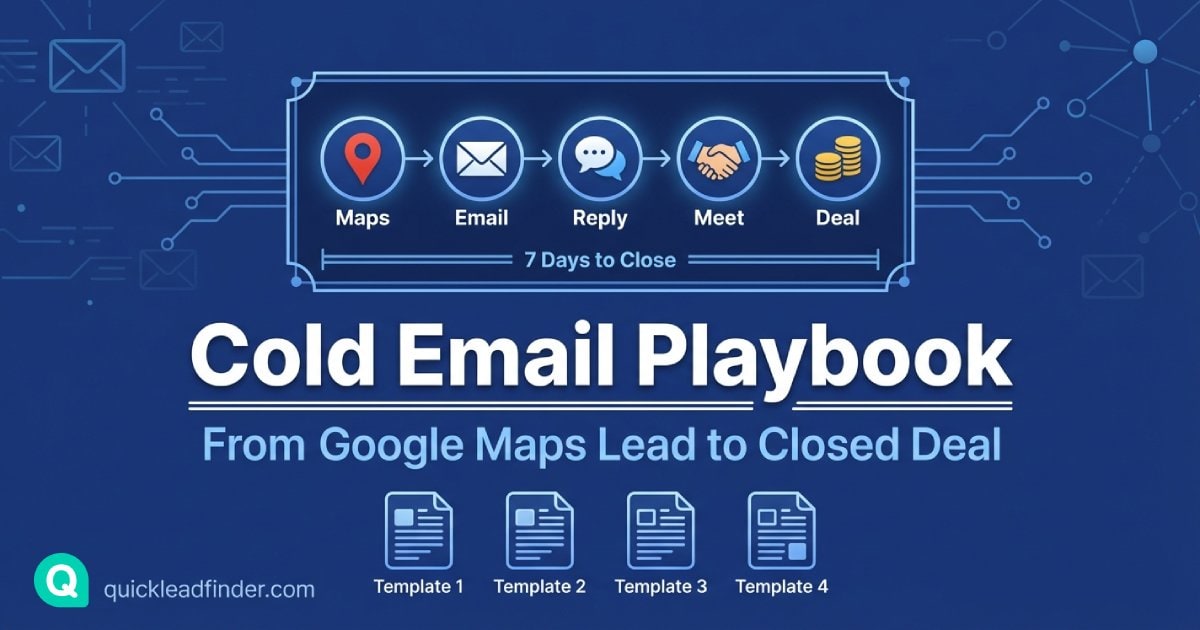
You've scraped 10,000 local business leads from Google Maps. Now what?
The difference between a successful cold email campaign and one that lands in spam isn't just the copy—it's the entire system: deliverability setup, personalization strategy, follow-up cadence, and timing.
This playbook covers everything you need to turn QuickLeadFinder data into closed deals, including 5 battle-tested email templates for different industries. (New to Google Maps scraping? Start with our comprehensive guide first.)
Why Google Maps Leads Are Perfect for Cold Email
Before diving into tactics, let's understand why Google Maps data converts better than purchased lists:
1. Real-Time Accuracy
Google Maps data is updated by business owners themselves. Unlike static databases that decay 25-30% annually, Maps data reflects current business status.
Impact: Higher deliverability, fewer bounces, better sender reputation.
2. Rich Context for Personalization
Each Google Maps lead includes: - Business category (for relevance) - Review count and rating (for social proof hooks) - Website presence (for service gaps) - Location (for local relevance)
Impact: Personalized emails get 26% higher open rates.
3. Decision-Maker Access
Local businesses listed on Google Maps are typically owner-operated or have small teams. Your email is more likely to reach someone who can say "yes."
Impact: Shorter sales cycles, higher conversion rates.
Part 1: Deliverability Foundation
Before sending a single email, you need proper technical setup. Skip this section at your peril—poor deliverability kills campaigns before they start. (For a deep dive on data quality, see our B2B Data Hygiene Guide.)
Email Authentication: The Non-Negotiables
SPF (Sender Policy Framework)
Tells receiving servers which IPs can send email for your domain.
v=spf1 include:_spf.google.com include:sendgrid.net ~all
How to set up: Add a TXT record to your domain's DNS settings.
DKIM (DomainKeys Identified Mail)
Cryptographically signs your emails to prove they weren't tampered with.
How to set up: Your email provider (Google Workspace, SendGrid, etc.) provides the DKIM key to add as a DNS record.
DMARC (Domain-based Message Authentication)
Tells receiving servers what to do with emails that fail SPF/DKIM checks.
v=DMARC1; p=quarantine; rua=mailto:[email protected]
How to set up: Add a TXT record for _dmarc.yourdomain.com.
Domain Warming: The 14-Day Protocol
New domains or domains that haven't sent volume need warming. Here's a safe schedule:
| Day | Emails/Day | Focus |
|---|---|---|
| 1-3 | 10-20 | Send to colleagues, friends who will reply |
| 4-7 | 30-50 | Expand to warm contacts, encourage engagement |
| 8-10 | 75-100 | Begin light prospecting to high-quality leads |
| 11-14 | 150-200 | Gradual increase, monitor bounce rates |
| 15+ | Scale based on metrics | Keep bounce rate <2%, spam complaints <0.1% |
Pro tip: Use a tool like Lemwarm or Warmbox to automate this process.
Inbox Placement Checklist
Before launching your campaign, verify:
- [ ] SPF record configured and passing
- [ ] DKIM signature enabled and valid
- [ ] DMARC policy set (start with p=none, move to p=quarantine)
- [ ] Domain age >30 days for cold outreach
- [ ] Sending domain matches "From" address
- [ ] Unsubscribe link included in every email
- [ ] Physical address in email footer (CAN-SPAM compliance)
Part 2: The Anatomy of a High-Converting Cold Email
Subject Line Formula
The subject line determines whether your email gets opened. For local business outreach, these patterns work:
Pattern 1: Question + Specificity - "Quick question about [Business Name]'s online presence?" - "Noticed something about [Business Name] on Google..."
Pattern 2: Mutual Connection/Location - "Fellow [City] business owner here" - "Saw [Business Name] while researching [Neighborhood]"
Pattern 3: Specific Value - "Idea to get [Business Name] 20 more customers/month" - "Why [Business Name]'s competitors are ranking higher"
Avoid: - ALL CAPS - Multiple exclamation points!!! - Spam trigger words (free, guarantee, act now) - Misleading subject lines
Email Body Structure
[Personalized Opening - 1-2 sentences]
Reference something specific about their business.

[Pain Point - 1-2 sentences]
Identify a problem they likely have.

[Value Proposition - 2-3 sentences]
How you solve that problem, with proof.

[Soft CTA - 1 sentence]
Low-friction next step.

[Signature]
Name, title, company, phone (optional)
Ideal length: 50-125 words. Local business owners are busy—respect their time.
Part 3: 5 Proven Email Templates by Industry
These templates are designed to work with QuickLeadFinder data fields. Customize the bracketed sections with actual data from your export. (Need help finding emails? See our guide to finding business email addresses.)
Template 1: Restaurants & Hospitality
Best for: POS systems, food suppliers, marketing services, reservation software
Subject: Quick idea for [Restaurant Name]'s slow nights
Hi [Owner Name],

Saw [Restaurant Name] has a solid 4.6 rating with 200+ reviews—clearly you're
doing something right with the food.

Quick question: are Tuesday/Wednesday nights as slow for you as they are for
most restaurants in [City]?

We help restaurants like [Similar Restaurant] fill those empty tables with
targeted local ads that typically bring 15-25 extra covers per week.

Worth a 10-minute call to see if it'd work for [Restaurant Name]?

[Your Name]
[Company] | Restaurant Marketing
[Phone]
Why it works: - Opens with genuine compliment (uses rating data from QuickLeadFinder) - Identifies universal pain point (slow weeknights) - Provides specific, believable result - Low-friction CTA (10-minute call)
Template 2: Home Services (Plumbers, Electricians, HVAC)
Best for: Lead generation services, CRM software, fleet management, insurance
Subject: How [Business Name] can book 10 more jobs this month
Hi [Owner Name],

Found [Business Name] while looking for [service type] in [City]—your
[X] reviews show you do quality work.

I noticed you don't have a website linked on your Google listing. That's
actually costing you jobs—73% of homeowners research online before calling.

We build simple websites for [service] companies that rank on Google and
convert visitors into calls. Most clients see 8-12 new leads in the first month.

Interested in seeing examples from other [City] contractors?

[Your Name]
[Company] | Contractor Websites
[Phone]
Why it works: - Uses QuickLeadFinder's "no website" filter to target relevant prospects - Cites believable statistic - Offers to show proof (examples) - Industry-specific language builds trust
Template 3: Healthcare & Dental
Best for: Patient management software, medical supplies, marketing, insurance
Subject: [Practice Name]'s Google reviews vs. [Competitor]
Hi Dr. [Last Name],

I was comparing dental practices in [City] and noticed [Practice Name] has
[X] reviews while [Competitor Name] down the street has [Y].

In my experience, that gap usually means they're actively asking patients
for reviews while most practices hope they happen organically.

We have a simple system that helps practices like yours collect 15-20 new
5-star reviews per month—without being pushy or awkward.

Would a quick case study be helpful?

[Your Name]
[Company] | Healthcare Reputation
[Phone]
Why it works: - Creates urgency through competitor comparison - Addresses common objection (being "pushy") - Offers value before asking for time (case study) - Professional tone appropriate for healthcare
Template 4: Professional Services (Lawyers, Accountants, Consultants)
Best for: Legal tech, accounting software, lead generation, marketing
Subject: Question about [Firm Name]'s client acquisition
Hi [Name],

Came across [Firm Name] while researching [practice area] firms in [City].
Your [X]-star rating suggests strong client relationships.

Quick question: where do most of your new clients come from currently?
Referrals? Google searches? Something else?

I ask because we work with [practice area] firms to generate 5-10 qualified
consultations per month through targeted online campaigns. Happy to share
what's working for similar firms in [State] if useful.

Best,
[Your Name]
[Company]
[Phone]
Why it works: - Opens with research-backed compliment - Asks question to start dialogue (not just pitching) - Offers value exchange (insights for their time) - Professional, peer-to-peer tone
Template 5: Retail & Local Shops
Best for: POS systems, inventory management, e-commerce, local marketing
Subject: Saw [Store Name] on Google Maps—quick thought
Hi [Owner Name],

Just discovered [Store Name] in [Neighborhood]—love that you specialize
in [product category]. The photos on your listing look great.

Random question: do you sell online at all, or is it all in-store?

I ask because we help local shops like yours set up simple online stores
that typically add $2-5K/month in revenue without much extra work.

If you're curious, I can show you how [Similar Store Type] in [Nearby City]
did it.

[Your Name]
[Company] | Local E-commerce
[Phone]
Why it works: - Shows genuine interest in their specific business - Non-threatening question opens dialogue - Specific revenue range is believable - Local example builds credibility
Part 4: The Follow-Up Sequence
80% of sales require 5+ follow-ups, but 44% of salespeople give up after one.
Here's a 7-day follow-up sequence that converts:
Day 1: Initial Email
Send your personalized template (above).
Day 3: The Bump
Short, casual follow-up:
Subject: Re: [Original Subject]

Hi [Name],

Just bumping this up in case it got buried. Worth a quick chat?

[Your Name]
Day 5: Add Value
Share something useful without asking for anything:
Subject: Thought you'd find this interesting

Hi [Name],

Saw this article about [relevant industry trend] and thought of [Business Name]:
[Link]

The section on [specific point] might be relevant to what you're doing.

No response needed—just thought it was worth sharing.

[Your Name]
Day 7: The Breakup
Create urgency by stepping back:
Subject: Should I close your file?

Hi [Name],

I've reached out a few times about helping [Business Name] with [value prop]
but haven't heard back.

Totally understand if the timing isn't right or it's not a priority. I'll
assume that's the case and won't reach out again.

If things change, my calendar's always open: [Calendly Link]

All the best with [Business Name],
[Your Name]
Why breakup emails work: They trigger loss aversion. Many prospects who ignored previous emails will respond to avoid "losing" the opportunity.
Part 5: Metrics That Matter
Track these KPIs to optimize your campaigns:
| Metric | Target | Action if Below Target |
|---|---|---|
| Open Rate | >40% | Improve subject lines, check deliverability |
| Reply Rate | >5% | Improve personalization, value proposition |
| Bounce Rate | <2% | Clean list, verify emails before sending |
| Unsubscribe Rate | <0.5% | Better targeting, less aggressive follow-up |
| Spam Complaints | <0.1% | Improve relevance, add clear unsubscribe |
Calculating ROI
Campaign ROI = (Revenue from Closed Deals - Campaign Cost) / Campaign Cost × 100

Example:
- 10,000 leads from QuickLeadFinder: $29 (Pro plan)
- Email tool (Instantly/Lemlist): $50/month
- Time investment: 10 hours @ $50/hr = $500
- Total cost: $579

- 10,000 emails → 400 opens (4%) → 20 replies (0.2%) → 5 meetings → 2 closed deals
- Average deal value: $2,000
- Revenue: $4,000

ROI = ($4,000 - $579) / $579 × 100 = 591%
Part 6: Tools to Scale Your Outreach
Email Sending Platforms
| Tool | Best For | Starting Price |
|---|---|---|
| Instantly | High volume, multiple inboxes | $37/mo |
| Lemlist | Personalization, images | $59/mo |
| Apollo | Built-in data + sending | $49/mo |
| Smartlead | Unlimited email accounts | $39/mo |
Email Verification
Before sending, verify emails to protect your sender reputation:
| Tool | Price | Accuracy |
|---|---|---|
| ZeroBounce | $0.008/email | 98%+ |
| NeverBounce | $0.008/email | 97%+ |
| Hunter | $0.01/email | 95%+ |
Pro tip: Run your QuickLeadFinder export through a verification service before loading into your email tool.
CRM Integration
Keep track of conversations and follow-ups:
| CRM | Best For | Integration |
|---|---|---|
| HubSpot | Full-featured, free tier | Direct CSV import |
| Pipedrive | Sales-focused | Zapier/direct |
| Close | Built-in calling | CSV import |
Common Mistakes to Avoid
1. Sending Too Fast
Mistake: Blasting 1,000 emails on day one. Fix: Start with 50/day, increase gradually over 2 weeks.
2. Generic Personalization
Mistake: "Hi {First_Name}, I noticed your business..." Fix: Reference specific details: rating, review count, location, category.
3. Too Many Links
Mistake: Including 3+ links in your email. Fix: One link maximum (usually your calendar or website).
4. Weak Subject Lines
Mistake: "Business Opportunity" or "Quick Question" Fix: Include their business name or specific detail.
5. No Follow-Up System
Mistake: Sending one email and giving up. Fix: Implement the 7-day sequence above.
Putting It All Together
Here's your action checklist:
Week 1: Foundation
- [ ] Set up SPF, DKIM, DMARC records
- [ ] Create dedicated sending domain
- [ ] Begin domain warming
- [ ] Export leads from QuickLeadFinder
- [ ] Verify emails through ZeroBounce or similar
Week 2: Campaign Prep
- [ ] Segment leads by industry
- [ ] Customize templates for each segment
- [ ] Set up email sending tool
- [ ] Configure follow-up sequences
- [ ] Test deliverability with seed lists
Week 3: Launch
- [ ] Start with 50 emails/day
- [ ] Monitor open rates and replies
- [ ] Adjust subject lines based on data
- [ ] Respond to replies within 2 hours
- [ ] Scale volume as metrics stabilize
Week 4+: Optimize
- [ ] A/B test subject lines
- [ ] Refine templates based on reply feedback
- [ ] Expand to new segments
- [ ] Document what works for your market
Final Thoughts
Cold email isn't about volume—it's about relevance.
The combination of QuickLeadFinder's real-time Google Maps data and personalized outreach creates a system that:
- Reaches real businesses (not outdated database entries)
- Speaks to specific pain points (using rich context data)
- Builds genuine relationships (through thoughtful follow-up)
Start with 500 highly-targeted leads, perfect your approach, then scale.
👉 Start your free trial with QuickLeadFinder and get the leads you need to launch your first campaign today.
Related Resources
Master your entire lead generation workflow with these guides:
- The Ultimate Google Maps Scraping Guide — Learn how to extract high-quality leads at scale
- How to Find Business Emails — Extract contact info that isn't on Google Maps
- B2B Data Hygiene Guide — Clean your data and reduce bounce rates
- CRM Automation Guide — Automate your lead pipeline with Zapier and Make
- Restaurant Lead Generation — Industry-specific playbook with templates
Explore all strategies in the QuickLeadFinder Blog.
